One of the most negative findings from our research was how often people saw not safe for work (NSFW) content without their consent. While such content can have a place, people should be asked for consent before it is shown.
Let people communicate if they want to receive NSFW content on dating app profiles
If people can send images on a dating app or other social platform where people are likely to send NSFW images, consider allowing people to specify if they are happy to receive them. For example, Grindr has a profile field labelled "Accepts NSFW pics" where people can specify "Yes", "Not at first" or "Never".
Let people consent to receiving NSFW pics for specific people
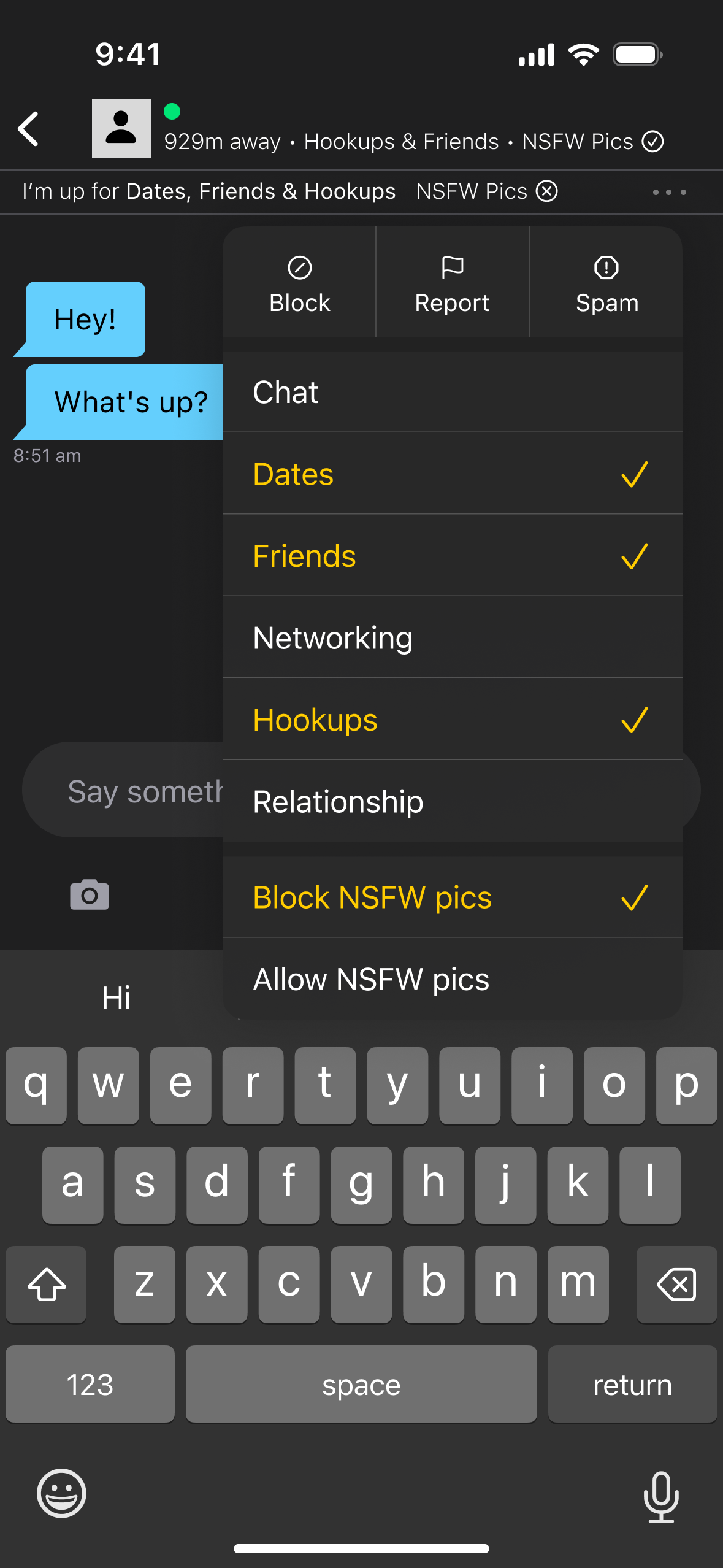
In addition to letting people consent to NSFW content on their profile, there should be an option to adjust this per conversation. For people who do not consent to receiving NSFW content at first or ever, this should default to blocking NSFW content, but for those who always consent, this should default to allow.
The mockup on the right shows how this could be implemented by adding options to the menu in a Grindr chat. Similarly, and as we recommend in Support variation in the kinds of connections people are looking to make, the middle part of the menu lets people specify what they're looking for at a conversation level too.
Give people the option to enforce their preferences around NSFW content
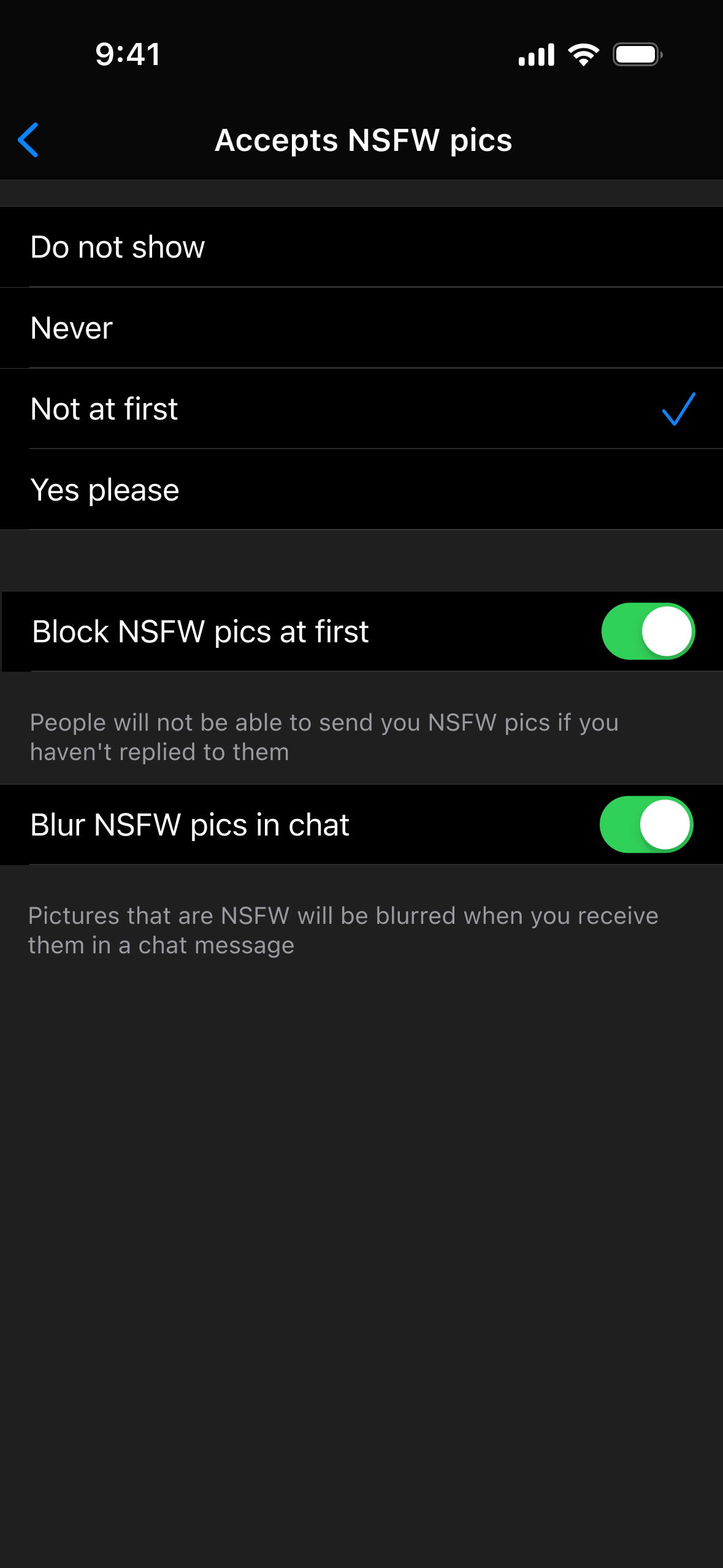
It's great if people can communicate whether they consent to receiving NSFW content, but people should also be given options to make sure others respect their choices. For example, giving people the option to block others from sending them NSFW pictures as part of a first message, or to blur any NSFW pictures in the chat.
The mockup on the left shows how we extended Grindr's options around NSFW pictures (the four options at the top), and added the two settings below to give people options to block or blur NSFW pictures.
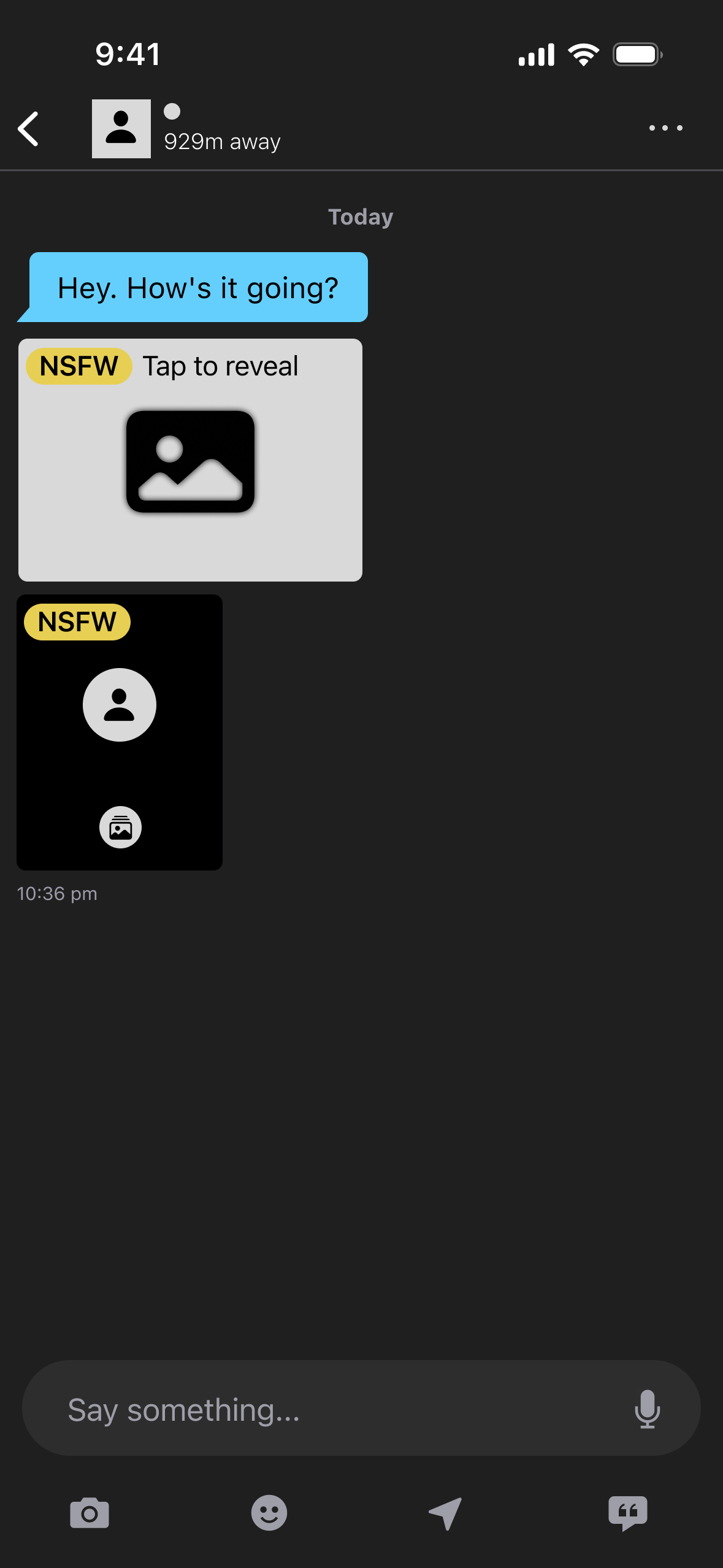
The mockup on the right shows this blurring in action. NSFW photos are flagged as such and blurred to make them less confronting. People can tap on an image if they want to reveal it.
As one participant said: "It gives you a blurry version of it. And then you can go, 'That's a dick. I'm not going to look at it.' But like, if you look at it and it's like purple, you're like, 'Okay, that's not a dick.'"
Make people's preferences around NSFW content clear where it is relevant
People often don't read bios — so if you're letting people set preferences around receiving NSFW content, make it clear where it counts. For example, if someone doesn't want to receive NSFW content, show their preferences when someone goes to send them a picture.
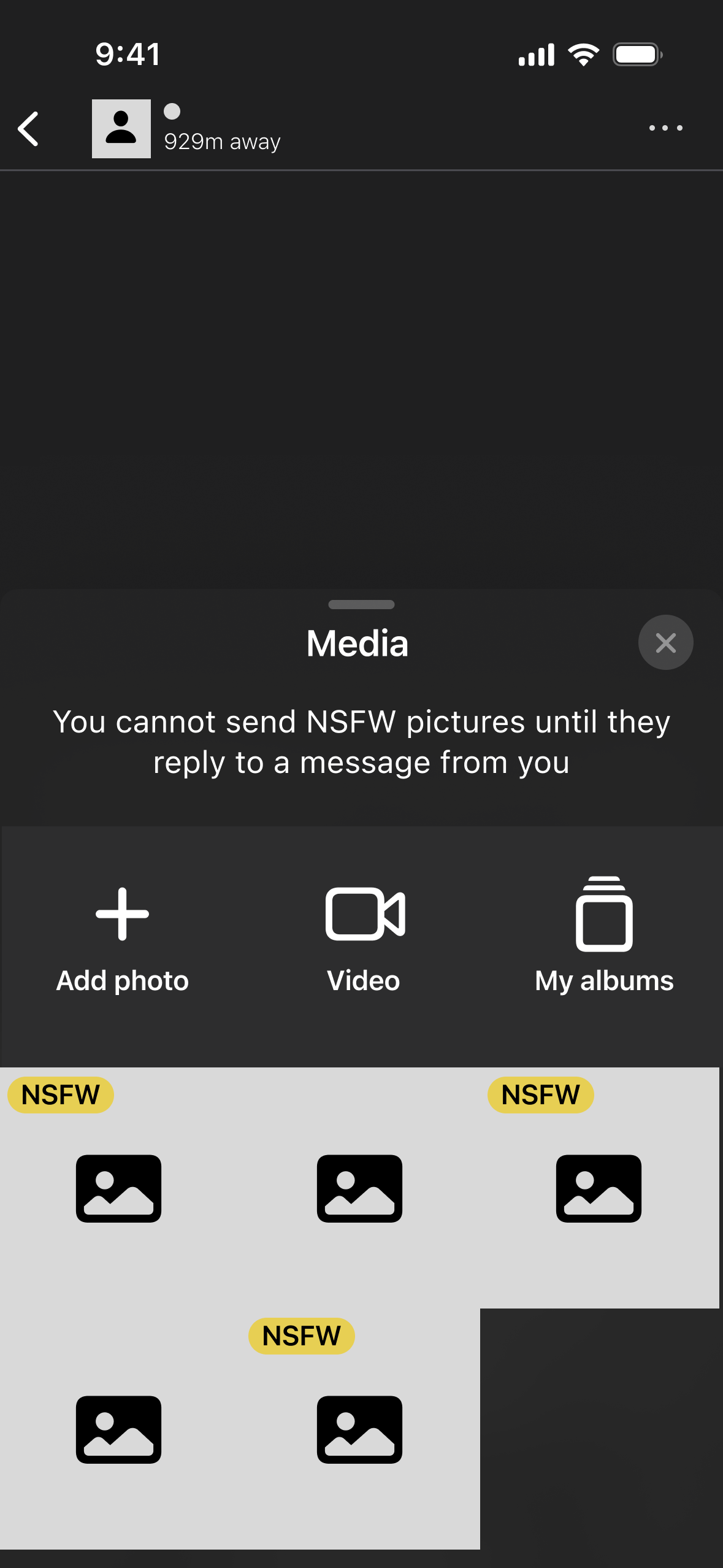
The mockup on the left provides an example of how to do this. The person who is being sent a picture has indicated they don't want to receive NSFW pics "at first" and enabled the blocking feature described above, so the interface prompts the sender.
Similarly, the mockup on the right shows the preferences of the other person alongside their details (see the top line where it indicates the other person accepts NSFW with a tick).